
Managing emails, files, documents, meetings, and team communication across different tools can quickly become difficult. Google Workspace with Gemini brings these essential work tools together in one connected platform, including Gmail, Drive, Docs, Sheets, Meet, and Calendar. The brand reported having more than 3 billion users across Google Workspace, and India is one of its largest and fastest-growing markets.
For businesses, freelancers, and teams, Google Workspace makes it easier to create, store, share, and collaborate from one place. Google’s AI, Gemini, is now integrated into its apps, allowing users to draft emails, summarize documents, create spreadsheet formulas, and record meeting notes without needing a separate AI tool.
This guide explains what Google Workspace with Gemini offers, how its apps work together, and how you can use them to simplify everyday work.
| What Is Google Workspace and What Does It Offer: At a Glance Google Workspace is Google’s paid suite of cloud-based productivity apps, including Gmail, Drive, Docs, Sheets, Slides, Meet, and Calendar, built for teams to work and collaborate from one connected system. It runs entirely on the cloud, syncs changes in real time across users, and supports custom business email on your own domain. Plans in India start at ₹120 per user per month. |
Note: On eligible Google Workspace plans: Starter, Standard or Plus.
What is Google Workspace?
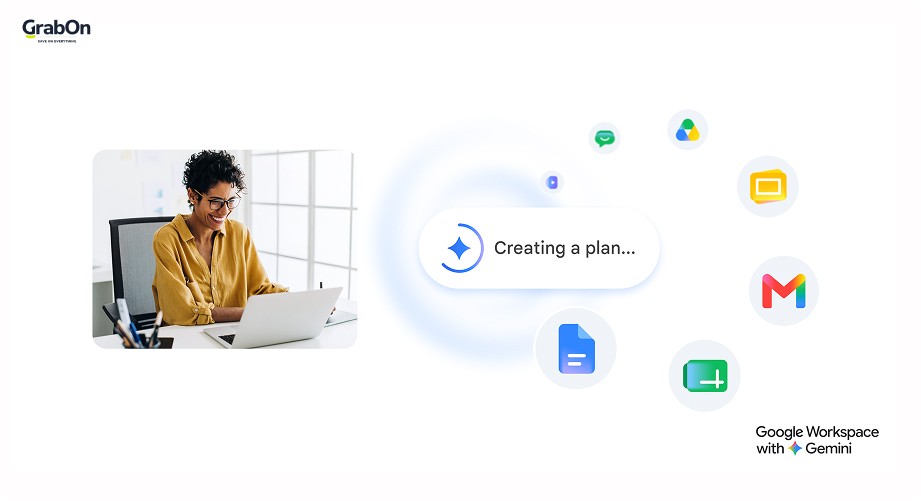
Google Workspace is a suite of productivity tools that is designed to help you create, collaborate, and connect with your team with tools like Gmail, Docs, Sheets, Meet, and more. Google Workspace was known as G Suite.
In 2006, Google released the beta version of the suite, naming it “Google Apps for Your Domain”. In this version, the company added a set of apps to the suite that any organization would need, like Gmail, Talk, Calendar, etc. It was rebranded from G Suite to Google Workspace in 2020.
Even after all these years, Google Workspace with Gemini still acts as a set of productivity apps that can be used by individuals as well as organizations. It is more than Gmail; it includes tools like Docs, Sheets, Drive, Meet, and many more.
India is now Google Workspace’s largest market outside the US by monthly active users, and it offers an India-based data residency region so businesses can keep their Google Workspace data stored within the country to meet local compliance needs.
The new Google Workspace has three major developments:
- A new and deeply integrated user experience that helps teams collaborate more.
- A new brand identity with better product designs
- A new way with solutions to cater to a broad range of customers.
How Does Google Workspace Work
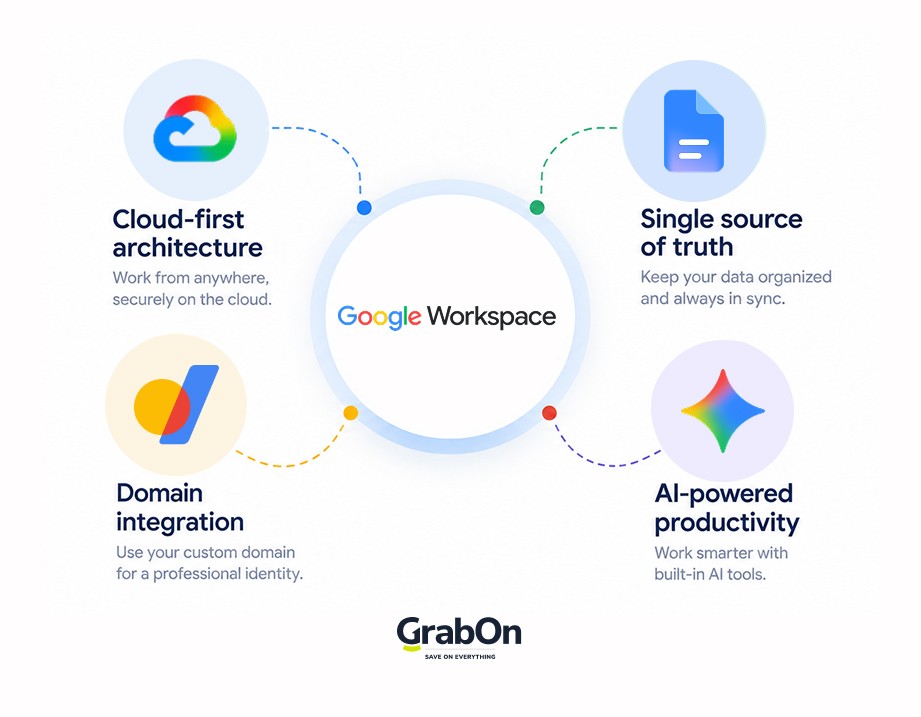
Google Workspace with Gemini follows a cloud-based model that allows you to access all your data in one place. The recent developments in AI have made it possible for teams to not just create, but also collaborate in the Google Workspace. Let’s understand how it works and get into some of its standout features.
-
Cloud-first Architecture
Google Workspace is built entirely on cloud technology, meaning all data, apps, and services are hosted on Google’s secure servers rather than on local computers. This architecture allows users to access their emails, files, and productivity apps from any device with internet connectivity. You don’t need software installations and on-premises servers. You just need to have an internet connection to access the files. This promotes productivity with minimal disruption to the users.
-
Real-time Synchronization (Single Source of Truth)
All Google Workspace apps work with real-time synchronization. That means if you make any changes to documents, spreadsheets, or presentations, those changes are instantly reflected across all users’ devices. This creates a single source of truth. So, teams can collaborate simultaneously without version conflicts or the need for manual file sharing. If you are in doubt, you can always check various versions of the file and recover them when needed.
-
Domain Integration
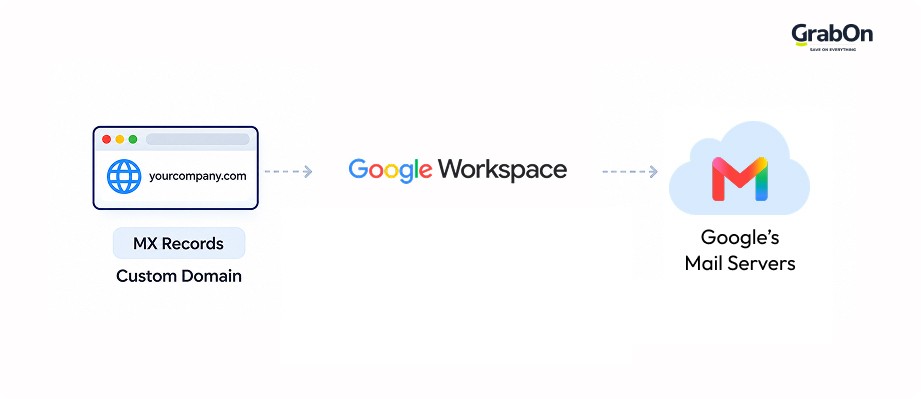
When you use Google Workspace with your own website domain (like yourcompany.com), you need to tell the internet where to send your emails. This is done by updating special records called MX records in your domain’s settings. Think of MX records as address labels that say, “Send all email for this domain to Google’s mail servers.”
This way, emails sent to you@yourcompany.com go through Google’s trusted system but still show your company’s name, making your email look professional. In simple words, Google routes your website domain through its servers while still keeping your custom branding. Setting this up connects your custom domain email to Google’s powerful workspace tools.
-
The role of AI (Google Workspace with Gemini)
Google’s AI, Google Workspace with Gemini, integrates advanced artificial intelligence capabilities into the suite. It assists with tasks like smart email responses, meeting summaries, content suggestions, and workflow automation. This AI integration reduces repetitive work. Users can even get creative and use Gemini to write in Docs or use it to create videos with Veo 3 integration. The brand also offers an India-based data residency option for Gemini in Google Workspace, so Indian businesses can keep their AI processing and data storage within the country to meet local compliance needs.
What are the main Apps included in Google Workspace?
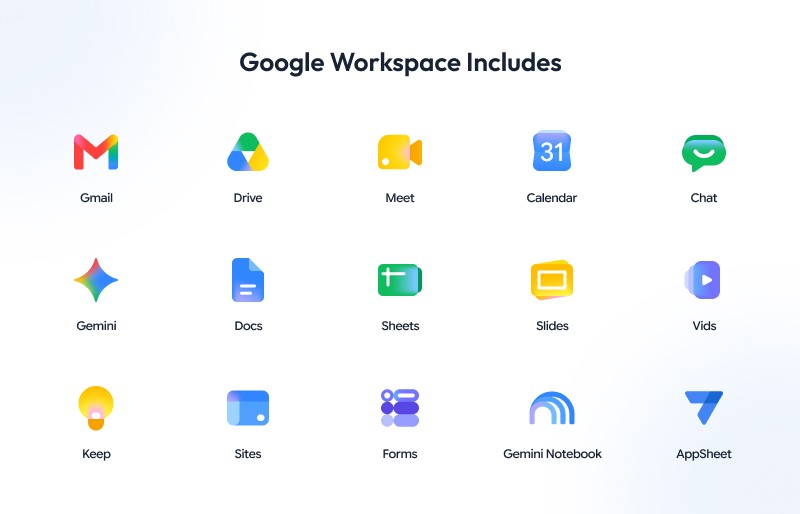
As mentioned before, Google Workspace is more than just Gmail. It includes a wide range of tools. In the table, we have listed all the core apps included in Google Workspace:
| App | What It Does |
| Gmail | Business email with custom domains, spam filtering, and security features |
| Drive | Cloud storage for files, folders, backups, and sharing |
| Docs | Online word processor for creating and collaborating on documents |
| Sheets | Spreadsheet tool for organising, analysing, and sharing data |
| Slides | Tool for creating and presenting professional presentations |
| Gemini | AI assistant for writing, summarising, brainstorming, and other productivity tasks |
| Meet | Video conferencing tool for virtual meetings and team calls |
| Calendar | Scheduling tool for events, reminders, and shared calendars |
| Vids | Video creation and editing tool for workplace content |
| Gemini Notebook | AI-powered workspace for organising, analysing, and retrieving information from sources |
| Chat | Instant messaging and group conversations for teams |
| Tasks | To-do and task management tool that works with Gmail, Calendar, and Chat |
| AppSheet | No-code platform for creating custom business applications |
| Forms | Tool for creating surveys, quizzes, forms, and collecting responses |
| Sites | Simple website builder for creating internal team or project websites |
| Vault | Retention, archiving, and eDiscovery tool for email and other Google Workspace data |
| Admin Console | Centralised dashboard for managing Google Workspace users, apps, security, and settings |
Google Workspace Apps for Communication
The suite is well-known for its communication tools like Gmail, Calendar, and Google Meet. In this section, we will briefly describe what each tool does and how it helps businesses collaborate better.
Gmail

Gmail is the most popular app from Google. It provides professional, ad-free email with custom domain addresses for businesses. You can even use it for personal use. It is included in Google Workspace along with other apps.
- Key Features: Advanced spam filtering, integration with Chat, Calendar, and Meet, smart compose with AI assistance from Gemini, and an AI-powered inbox that surfaces priority emails and generates quick overviews of long threads.
- How it helps: It centralizes all business communications in one platform, combining email, chat, and video meetings for seamless interaction. For example, if you send an invite to your colleague for a Google Meet, their Calendar will automatically sync to it.
Google Calendar

Google Calendar is a scheduling tool for managing appointments, meetings, and events. You can manage your entire work/non-work schedule with Google Calendar. It is free for personal use. It is also included in Google Workspace (with extra features).
- Key Features: Shared calendars, scheduling with team availability, integration with Gmail and Meet.
- How it helps: It simplifies team coordination and time management by providing a centralized view of schedules and automated reminders. So, if a team member wants to book a meeting with you, they can check your calendar for availability.
Google Meet

It is a popular video conferencing solution for virtual meetings and webinars. The best part of using Google Meet is that you can use interactive tools like polls, Q&As, and breakout rooms. It is also available for free. But the Google Workspace edition has better features, with higher-tier plans offering advanced features.
- Key Features: You can have high-quality video calls, screen sharing, recording, polls, Q&As, and noise cancellation in your meetings. Gemini’s note-taking feature can come in handy during meetings, and live speech translation now lets participants follow along in real time across different languages.
- How it helps: It helps you collaborate with your team remotely without any fuss.
Google Chat

Google Chat is a messaging platform for direct messages and team group conversations. It makes communication easier among teams, and with AI integration, Chat offers an enhanced experience.
- Key Features: Integration with other Google Workspace apps, spaces for project collaboration, emojis, and rich text formatting. Gemini in Chat answers complex queries by searching your messages and files in Gmail and Drive. Huddles is a new way for teams to start quick, audio-first meetings directly inside a chat conversation, with the option to add video or screen sharing.
- How it helps: You can use Chat to keep the communication flowing among your team members with quick-to-join audio and video conversations.
| NOTE: Google Spaces is a feature within Google Chat that provides a dedicated space for team collaboration. You can use Spaces in Google Chat to get everyone in the same space to discuss a topic or team project. |
Google Workspace Apps for Content Creation and Collaboration
Google is not just for searches or communication; you can also create a lot using apps like Docs, Sheets, Forms, and Slides. Here’s a breakdown of these apps:
Google Docs

It is an online word processor for creating and editing documents. You can create documents on the app and share them with your team in real time. Docs is free to use as an independent app, but it is also included in Google Workspace.
- Key features: Do text editing, leave comments and suggestions, check version history, use templates, get integration with Drive and Gmail, and use Gemini to generate infographics directly from your document’s content.
- How it helps: Docs can replace back-and-forth file sharing with a single live document where everyone can write, review, and approve content together.
Google Sheets

Sheets is a cloud-based spreadsheet tool that you can use for organizing data, running calculations, and building reports. You can create these sheets and share them with your team. It makes tracking tasks and numbers easier.
- Key features: Get access to all formulas and functions, charts and graphs, filters, connected Sheets, real-time co-editing, and Gemini can now build and populate entire spreadsheets from a natural-language prompt, including dashboards and kanban boards.
- How it helps: Google Sheets can turn raw data into insights by letting teams analyze, visualize, and update numbers in one shared source of truth.
Google Slides

If you want to create presentations, you can do it with Google Slides. It is a presentation app for building slide decks with your team. You can even convert PowerPoint files for editing and create Google Slides from Docs by using add-ons in Google Workspace.
- Key features: Get access to professional templates and multimedia support (images, video, charts). Create presentations using AI-generated images, or have Gemini build a full multi-slide deck from a short brief.
- How it helps: It enables even beginners to create polished presentations. Team and co-create together, and review them before a meeting as well.
Google Forms

You don’t need to be tech-savvy to create forms. Google Forms is a form and survey builder for collecting structured information from customers, stakeholders, or teammates. You can use it to create surveys/questionnaires and share them with your team.
- Key features: Use question templates and themes. Get response summaries and automatic export to Sheets.
- How it helps: Makes data collection easy within the organization and improves analysis.
Google Sites

Google also has a no-code website builder for internal sites, project hubs, and simple public pages. Your site won’t go live until you publish it, but it will automatically save every change you make.
- Key features: It has a drag-and-drop layout and is integrated with Docs, Sheets, Slides, and Drive.
- How it helps: Let’s non-technical users create central hubs for documentation, resources, and updates, keeping teams aligned around shared information.
If you’re setting up Google Workspace for a business, a simple Google Site may not always be enough for your online presence. A dedicated website can give you more control over its design, features, domain, and hosting. Several providers, including Hostinger, GoDaddy, and others, offer hosting plans for building and managing websites. If you choose Hostinger, explore its plans and check the latest Hostinger discount codes for additional savings.
Google Vids

Google Vids might be the newest addition to the Google Workspace. The basic version was released in April 2024. Google has since made Vids’ AI video generation available to any personal Google account, not just Google Workspace subscribers, letting anyone turn ideas into a finished video using a simple prompt or a Slides deck as a starting point.
- Key features: Up to 10 free AI video clips a month powered by Veo for any personal Google account. Use Gemini to build a storyboard and script automatically. Paid Google Workspace users unlock directable AI avatars, custom AI-generated music, and higher monthly generation limits.
- How it helps: It lets teams turn ideas into polished video content without a video editing background, while Google Workspace’s paid tier adds the avatars, music, and volume needed for regular business use like training or marketing videos.
Google AppSheet

It is a no-code app development platform that lets you create custom business apps without writing code. You can leverage Gemini to create intelligent apps. Simply describe what you want and let Gemini do the job.
- Key Features: It has a drag-and-drop interface, automation workflows, AI-driven insights, integration with Google Sheets, Drive, Calendar, and other data sources.
- How it helps: Create tailored apps that automate tasks and streamline processes across departments, without needing developer resources.
Gemini Notebook

It is an AI-powered workspace notebook that helps organize, retrieve, and synthesize notes and documents. You can upload your sources, PDFs, websites, etc, and ask questions to get accurate answers. It is a great way to access all the required info in one place.
- Key Features: Enjoy smart search, AI summaries, and integration with Google Workspace apps for quick access to project knowledge.
- How it helps: This tool helps with knowledge management and reduces the time spent searching for information.
Google Workspace Apps for Storage & Management
Google Drive and Google Vault are the main storage apps in Google Workspace. Let’s have a look at them as well.
Google Drive

Drive is a cloud storage platform that stores all the data in your Google Workspace, starting from Docs, Sheets, Slides, and videos. When all your data is safe in the cloud, you can share it securely with your team.
- Key Features: Storage scales with your plan, from 20GB pooled per user on Base to 5TB or more on Enterprise, so you’re not stuck with one fixed limit as your team grows. Enjoy seamless syncing across devices and integration with other Google Workspace apps.
- How it helps: Teams can get significantly more storage than a standard free account with Google Workspace, and the pooled model means storage is shared across your organization rather than capped per person. Plus, you can access your files from anywhere
Others
Google Vault is a data retention and eDiscovery tool for archiving emails, chat messages, and files to meet compliance requirements, available on Google Workspace’s higher-tier plans. It ensures that your data is secure for compliance and legal purposes. The Google Admin Console is the central management interface for Google Workspace administrators to control user settings.
How much does Google Workspace with Gemini cost in India?
- Paid Subscription Plans
Google Workspace with Gemini’s pricing depends on whether you pay monthly or commit annually, with the latter saving you close to 16% per user. Plans start from ₹160.65 per user per month on annual billing. Here’s a breakdown of Google Workspace with Gemini plans and pricing:
| Plan | Monthly Billing | Annual Billing (Per User/Month) | Storage Per User | Meet Participants | Key Features |
| Starter | ₹193.38 | ₹160.65 | 30 GB pooled | 100 | Gemini AI, AI workflows, Vids, Gemini Notebook |
| Standard | ₹1,040 | ₹864 | 2 TB pooled | 150 | Starter features, premium AI, eSignature, AI meeting notes, translation |
| Plus | ₹2,050 | ₹1,700 | 5 TB pooled | 500 | Standard features, custom business email, secure LDAP, advanced endpoint management, and enhanced security |
Annual billing is charged upfront for the year but works out to roughly 16% less per user than paying monthly, so it’s worth the commitment if you’re confident you’ll stick with the plan.
So, if you just want to try it out for longer than 14 days, you can get the Starter plan. If you have more requirements, you can upgrade the plan accordingly. Use GrabOn’s Google Workspace with Gemini offers to save on your subscription.
How to Redeem the Google Workspace with Gemini Offer
Here is a step-by-step process:
- Click the GrabOn discount link to claim your Google Workspace offer.
- Confirm that the discount banner is visible on the landing page.
- Enter your business details and create your Google Workspace account.
- Choose your preferred Google Workspace plan: Starter, Standard or Plus.
- Your 14-day free trial starts immediately.
- After the free trial ends, the up to 15% discount is automatically applied to your paid plan for the first 3 months (new users only).
14-Day Free Trial Period
New Google Workspace with Gemini users can enjoy a 14-day free trial before starting a paid subscription. During this trial, you get full access to Google Workspace features at no cost. Once the 14-day free trial ends, GrabOn’s exclusive promo code is applied automatically, giving 15% OFF on eligible paid Google Workspace plans for the first 3 months.
Note: This offer gives new Google Workspace customers 15% off the first 3 months of eligible plans (Business Starter, Standard and Plus), applied after the 14-day free trial.
New customers only: domains that have never had a Google Workspace trial or paid plan. Up to 300 seats per domain. Can’t be combined with other offers. Terms apply. See here.
Difference between Google Workspace and Free Google apps
Google Apps like Docs, Sheets, Calendar, etc, are free to use. But if you want to use the entire suite of apps, you need to get a paid plan for Google Workspace. Google Apps that are free have limited features and storage. While they are appropriate for personal use, these apps are not equipped to handle large storage and complex functions. If you have a business or are managing a team, then getting a Standard Google Workspace plan will do you good. Let’s compare both:
| Feature/Aspect | Google Workspace | Free Google Apps |
| Custom email domain | Yes | No |
| Storage | Starts at 20GB per user, pooled and scaling up to 5TB+ on higher plans | Up to 15GB (shared across Gmail, Drive, and Photos), though new accounts now start at 5GB until a phone number is linked |
| Collaboration Tools | Full suite of apps | Basic Docs, Sheets, Slides, etc |
| AI | Advanced access to the Gemini assistant and smart features across all apps | Limited or no AI assistance |
Using free Google apps will work if you are using them for personal use, but if you want business-grade services for your company and better storage, then get a paid plan.
Wrapping Up
Google may be the largest search engine, but Google Workspace is the playground of apps. Any business that’s looking to elevate its workflow needs to try out Google Workspace. The ease of use of the apps is unmatched, the synchronization between the apps is seamless, and the storage capacity is humongous. On top of that, Google Workspace offers room for team collaboration. So, if you are a small startup or a solo business just getting started, the Base plan gives you the full suite at a low monthly cost, and you can scale up as your team and storage needs grow.
FAQs
What is the use of Google Workspace?
Google Workspace with Gemini is used by businesses and individuals to communicate, create documents, and store files on one connected cloud platform. It combines Gmail, Docs, Sheets, Drive, and Meet so teams can collaborate on shared work without switching between separate tools.
Is Google Workspace with Gemini free?
No, Google Workspace is not free for businesses, though every paid plan comes with a 14-day free trial. Plans in India start at ₹99 per user per month on annual billing, giving access to the full suite of apps.
Can I purchase individual Google Workspace with Gemini apps?
No, individual Google Workspace apps cannot be purchased separately. Every plan includes the full suite together, like Gmail, Docs, Sheets, and Meet. You can still use free, standalone versions of most apps without a paid Google Workspace subscription.
What happened to G Suite?
G Suite was rebranded to Google Workspace in October 2020. The name changed as part of a wider relaunch, but core apps like Gmail, Drive, Docs, and Calendar continued unchanged, alongside a new integrated design and expanded AI features.
Which Google Workspace plan is the cheapest?
Starter is Google Workspace’s cheapest plan, starting at ₹160.65 per user per month on annual billing in India. It includes 30GB of pooled storage per user, custom business email, and the full suite of apps for up to 20 users.
Is Google Workspace better than Microsoft 365?
Neither platform is universally better since it depends on your workflow. Google Workspace suits teams that prefer real-time, browser-based collaboration, while Microsoft 365 fits teams that need powerful desktop apps, offline access, and deeper enterprise security controls.
Affiliate Disclosure Note: We may earn a commission if you sign up through links on this page, at no additional cost to you.