


Movavi Coupon Codes & Offers
Best 14 Coupons & Offers last validated on October 27th, 2026
- All (14)
- Offers (14)
Existing User
- All (14)
- Offers (14)
Get Up To 55% OFF On Video Suite + Photo Editor Plan
- Get up to 55% OFF on Video Suite + Photo Editor Plan
- The plan price starts at Rs 4,499 per month
- It includes -
- Video Editor
- Video Converter
- Screen Recorder
- AI image enhancement
- AI photo restoration and color correction
Flat 80% OFF On Screen Recorder For PC Plan
- Save 80% OFF on your plan purchase
- The discount is exclsuively for Screen Recorder for PC Plan
- The plan price start at Rs 2,199
Special Offer: Flat 80% OFF On Movavi Unlimited Plan
- Grab a flat 80% discount on Movavi unlimited plan.
- The price starts from Rs 5059.
- Valid for all users.
Flat 75% OFF On 1-Year Subscription To Movavi Effects
- Grab a flat 75% discount on Movavi Effects plan.
- The price starts from Rs 2,999
- It includes:
- Thousands of titles, stickers, transitions, and other effects
- All existing effects in the store
- From 100 new creative effects a month
Movavi Offers & Promo Codes
Photo Editor + Slideshow Maker Plan - Flat 55% OFF
- Upgrade now & get a flat 55% OFF on Photo Editor + Slideshow Maker plan
- The basic plan starts at Rs 2899
- Offer is accessible to all users
Flat 55% OFF On Movavi Video Suite + Movavi Photo Editor
- Grab a flat 55% discount on Movavi Video Suite + Movavi Photo Editor.
- The ultimate combo of apps for creating videos and retouching photos.
- Photo Editor includes:
- – AI image enhancement
- – AI photo restoration and color correction
- – AI background and object removal
Get 45% OFF On Video Suite Business
- Flat 45% OFF on video suite business offer
- Get the power of seamless video editing screen recording, and file conversion
- Get all the power of a video suite for a full year
- Early access to all newly released features free of charge
- Priority technical support is available
Flat 55% OFF On Movavi Video Editor + Movavi Video Converter
- Grab a flat 55% discount on Movavi Video Editor + Movavi Video Converter.
- The initial price starts from Rs 1,619.
- Also, get 30-day money-back guarantee.
- Pay a yearly license fee and renew if satisfied.
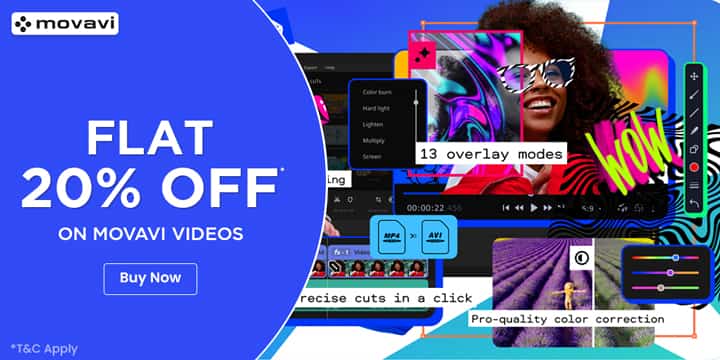
Flat 20% OFF On Movavi Videos
- Movavi viedos offer get flat 20% OFF on viedo editors
- Applicable for all users
Upgrade Now & Get Video Suite Plan Starting @ Rs 3,590
- Upgrade now for the Video Suite plan starts at the best price
- Starting at Rs 3,590
- It includes -
- Video Editor
- Video Converter
- Screen Recorder
Movavi Unlimited Pack - Get 1-Year Subscription Rs 5599
- Get movavi unlimited pack with Rs 5599
- Enjoy everything that has to offer
- This offers:
- Video site,
- Photo editor,
- Slideshow maker,
- Gecata, and more
- And Effects store add-ons this offer
Video Suite + Photo Deal - Get Lifetime Offer At Rs 3469
- Get a life lifetime with Rs 3469
- In this deal you can get more offers like:
- Video editor,
- Video converter,
- Screen recorder and more
- And also get a photo editor also
- Limited Offer!
Video Suite Offer - Price Starts At Rs 2599
Video Suite Plus - Grab Up To 60% OFF
- Save upto 60%OFF on Video Suite Plus.
- Price starts at Rs 3,199.
- It includes -
- Enticing gradients
- Cinematic effects and dramatic LUTs
- Vintage VHS effects
Active Movavi Promo Codes & Offers For Oct 2026
| Category | Movavi Coupons & Discounts |
| Sitewide Offer | Up To 80% OFF |
| Movavi Videos | Flat 20% OFF |
| On All Orders | Save 10% OFF |
| Video Suite Business | Up to 45% OFF |
| Download The App | For FREE |
Get Flat 20% OFF On Movavi Videos
About Movavi
Movavi is an international software company that makes consumer multimedia tools, best known for its video editor. The pitch has always been ease of use: editing, converting, and screen recording aimed at hobbyists, content creators, and small businesses rather than studios. It is not an Indian brand, so everything is billed cross-border in US dollars.
The line-up has grown into a small family of apps plus the bundled Video Suite that packs several tools together. Movavi sells direct from movavi.com, with versions for both Windows and Mac, and a free trial that lets you test before paying. The trial is functional but stamps a watermark on your exports until you buy a licence.
For an India buyer, the structural fact is the cross-border billing. You pay in dollars, and a digital download means there is no parcel and no customs at the airport. Instead the import sits in tax and forex: 18 percent GST applies to imported digital services, and your card adds a forex markup on the dollar charge.
So the right way to read Movavi from India is as a foreign software buy where the dollar sticker understates the rupee outflow. The software itself is mid-priced and beginner-friendly, but the true cost includes tax and conversion. GrabOn tracks the live Movavi coupons and bundle offers so you can see what is running before you weigh that full cost.
What Movavi Makes
Movavi sells a handful of tools rather than one giant app, and the smartest buy depends on which you actually need, because paying for the full suite makes no sense if you only want to edit clips. Here is the line-up.
Video Editor
This is the flagship. It handles cutting, transitions, titles, audio, filters, and basic effects in a timeline built for beginners. It is the tool most India buyers come for, aimed at YouTubers, students, and small-business creators rather than professional colourists.
Video Suite
The Suite bundles the editor with the converter, screen recorder, and more in one package. If you want several of these tools, the Suite costs less than buying each apart, so it is the value pick for people doing more than one job.
Video Converter
The converter changes files between many formats, with support for a long list of video, audio, and image types. Handy if you juggle clips from different cameras and phones that will not play nicely together.
Screen Recorder
This captures your screen in HD for tutorials, demos, and gameplay, with webcam and audio capture. It pairs naturally with the editor for anyone making how-to content.
Photo Editor and extras
Movavi also makes a photo editor and a few smaller tools. These round out the family for buyers who want image work alongside video.
The honest read: Movavi is a beginner-to-intermediate toolkit, not a pro studio. If you only edit video, buy the editor alone. If you record, convert, and edit, the Suite is the cheaper route. Match the product to the job before you look at the price, because buying more than you use is the easiest way to overspend on a cross-border purchase.
Best Movavi Offers Available on GrabOn
Movavi is a foreign software vendor, so its offer mix is about licence discounts and the trial, not bank days or COD. The savings sit in seasonal sale pricing, the Suite bundle, and the choice between subscription and lifetime, plus the free trial that lets you test before paying. Treat the figures below as patterns to confirm on the live page, since software pricing changes often.
| Movavi Offer Type | Offer Details | Best For | How to Use |
|---|---|---|---|
| Seasonal sale discount | Percentage off the editor, suite, or other tools | Buyers ready to license a product | Apply the code at checkout on movavi.com |
| Suite bundle | Several tools packaged for less than buying apart | People who record, convert, and edit | Pick the Video Suite over single tools |
| Lifetime licence | One-time payment for the current version | Buyers who dislike yearly renewals | Choose the lifetime option at checkout |
| Free trial | Full features with a watermark on exports | First-timers testing before they buy | Download the trial and test your workflow |
| Upgrade pricing | Reduced cost to move to a newer major version | Existing owners on an older version | Use the upgrade path, not a fresh full buy |
The read against the usual offer angles. The best test-first move is the free trial, since it lets you confirm the editor fits your workflow before any money changes hands, watermark aside. The best value pick for multi-tool users is the Video Suite bundle, which beats buying the editor, converter, and recorder separately. There is no India bank-offer layer here, because the store bills in dollars from abroad, so the saving sits in the sale price and the bundle, not the payment method. GrabOn keeps the verified Movavi offers lined up with what is live, so check the page before you buy.
Subscription vs Lifetime Pricing
Movavi sells most tools two ways, and the choice between them is the main decision before you buy. One is a yearly subscription you keep renewing; the other is a one-time lifetime licence for the current version. Each suits a different kind of user.
The subscription
The annual plan for the Video Editor runs around USD 54.95 a year at indicative pricing, renewing each year for ongoing updates and support. The Video Suite annual sits higher, around USD 94.95. A monthly option also exists at a higher effective rate. The subscription removes the export watermark and keeps you on the latest version while you pay.
The lifetime licence
The lifetime licence is a single payment, around USD 84.95 for the editor and roughly USD 149.95 for the suite with photo editor at indicative pricing. The catch is that lifetime usually means the current major version, so a future major release can carry an upgrade fee, often in the USD 20 to 40 range.
| Option | Indicative USD Price | Best For | Catch |
|---|---|---|---|
| Editor, annual | About USD 54.95 a year | Users who want latest updates | Renews every year |
| Editor, lifetime | About USD 84.95 once | Users who dislike renewals | Major upgrades may cost extra |
| Suite, annual | About USD 94.95 a year | Multi-tool users wanting updates | Renews every year |
| Suite plus photo, lifetime | About USD 149.95 once | Multi-tool users, one payment | Tied to the current version |
A caveat on the figures. These USD numbers are indicative list prices that move with frequent sales, so the live checkout price is the one to trust, and it sits before India GST and forex. The simple rule: if you edit occasionally and want a fixed cost, lifetime can work out cheaper over a few years, but if you need the newest features every cycle, the subscription keeps you current. Pick by how long you plan to use it.
Real Cost From India: GST and Forex
Buying Movavi from India is a cross-border digital purchase, and the dollar price is not the rupee price, so getting this part right avoids a surprise on your card statement. There is no parcel and no customs duty, because the software is a download, but tax and forex still apply.
- Check the live Movavi offer first and apply any code, so the dollar subtotal is as low as it can be before tax and forex.
- Pick subscription or lifetime, and choose the single product or the Suite based on which tools you will actually use.
- Understand that imported digital services attract 18 percent GST in India, charged on the supply to an India consumer.
- Know who bears the GST: as a B2C consumer, the foreign vendor is expected to charge and collect it, while a registered business buyer may account for it under reverse charge.
- Pay with an international-enabled card and expect a forex conversion plus a markup, often around 2 to 3 percent on a typical card.
- Watch for whether the dollar price shows GST as added or already included at the checkout page.
- Download and activate the licence, since there is no shipping wait, the product is delivered digitally.
The cost reality in plain terms. Your true rupee outflow is the dollar price, less any code, plus 18 percent GST on the imported digital service, plus the forex markup your card adds. On a small editor licence the tax and forex are a modest add-on; on the larger Suite they grow in absolute rupees. So the dollar sticker is the firm number, and the rupee figure on your statement runs higher once GST and conversion land.
One trust note for advertising: any saving or outcome claim should be realistic under ASCI norms, and consumer-protection principles cover digital purchases, though enforcing a dispute against a foreign vendor is harder than a domestic one. Keep your order confirmation and licence key safe in case you need them.
How to Use a Movavi Coupon
Applying a coupon on Movavi is quick, but the order of steps matters because the product and licence type change what the discount is worth. Here is how an India buyer does it.
- Check the live Movavi offer first so you know which code or sale is running before you start.
- Pick your product on movavi.com, the editor, the suite, or another tool, and choose subscription or lifetime.
- Add it to the cart and go to the checkout or buy-now page.
- Find the promo or coupon field and enter the code exactly as shown, watching for case.
- Apply the code and confirm the discounted dollar total updates before you continue.
- Check whether 18 percent GST is shown as added or included for an India billing address.
- Pay with an international-enabled card, then download and activate your licence key.
One practical tip: a percentage code is worth more on the pricier Suite or lifetime option than on a cheap single licence, so decide what you actually need first, then apply the code. And test the free trial before you buy, since the watermark aside it shows whether the tool fits your workflow.
Coupon Not Working? Here is What to Check
If a Movavi code will not apply, the cause is usually small. Run down this list before you give up on the discount.
- Code expired. Software codes rotate with sales, so grab a fresh Movavi code and retry.
- Wrong product. A code for the editor may not work on the suite or another tool, so match the code to the product.
- Subscription versus lifetime. Some codes apply only to one licence type, so check which the offer names.
- Case-sensitive entry. Enter the code exactly as shown, since uppercase and lowercase can matter.
- Already used. Codes are often one per customer, so a repeat attempt can fail.
- GST confusion. The discount applies to the base price, so the final figure still adds 18 percent GST, which can look like the code did less.
- Region or version mismatch. Some sales are version-specific or region-tagged, so check the offer terms.
- Payment declined for forex. If the card rejects an international charge, enable foreign transactions or try another card.
Movavi vs Filmora, CapCut and Premiere
Movavi sits in a busy video-editing field, so it helps to see where it lands against the names you are probably also weighing. The short version is that Movavi is the easy, mid-priced middle ground between free tools and pro software.
| Tool | Known For | Pricing | Best For |
|---|---|---|---|
| Movavi | Easy editing, converter, recorder | USD subscription or lifetime | Beginners and small creators |
| Filmora | Beginner-friendly editor with effects | USD subscription or lifetime | Creators wanting more effects |
| CapCut | Free, mobile-first social editing | Free with paid Pro tier | Quick social and phone edits |
| Camtasia | Screen recording plus editing | Higher one-time price | Tutorials and training video |
| Adobe Premiere | Professional editing standard | Higher monthly subscription | Professional and advanced work |
A practical way to read that. If you want a gentle learning curve at a mid price and the option of a one-time licence, Movavi and Filmora are the closest match, with Filmora leaning slightly more on effects. If you mostly cut short social clips on a phone, CapCut is free and built for that. For serious professional work, Premiere is the standard but costs more and is harder to learn, and Camtasia is the pick if screen recording is your main job.
The honest positioning is that Movavi is a beginner-to-intermediate tool, not a pro suite. Its strength is ease of use and the lifetime-licence option that avoids endless renewals. Its limit is that advanced editors will outgrow it. For an India buyer comparing on total cost, factor GST and forex into the dollar price before judging whether Movavi beats a free or subscription rival.
Is Movavi Worth It From India?
Best for: beginners and small creators who want easy video editing, screen recording, or file conversion without a steep learning curve, and who like the option of a one-time lifetime licence instead of endless renewals. The free trial lets you test the workflow first, the Video Suite bundles several tools for less, and the software runs on both Windows and Mac.
Be careful if: you need professional-grade editing or want to avoid foreign billing. Advanced users will outgrow Movavi and are better served by Premiere, while phone-first social editors get CapCut free. Remember the dollar price is not the rupee price: 18 percent GST on the imported digital service and a forex markup both apply from India, and lifetime really means the current version, so major upgrades can cost extra.
Best saving move: test the free trial to confirm the tool fits, then buy during a seasonal sale with a live coupon, picking the Video Suite if you need more than one tool since the bundle beats buying apart. Check the live Movavi offer on GrabOn first, and factor 18 percent GST and the forex markup into the dollar price before you decide it is the cheapest route.
Set against the editing field, Movavi is an easy mid-priced toolkit rather than a pro studio or a free app. Its appeal is a gentle learning curve and the lifetime-licence escape from renewals, and its limit is the ceiling for advanced work plus the cross-border tax and forex from India. Match the product to the job, test before you pay, time the buy to a sale, and read the dollar price as a floor that rupee tax and conversion sit on top of.
Frequently Asked Questions
Does Movavi have working coupon codes?
Yes, Movavi coupons usually take a percentage off the editor, the Video Suite, the converter, or the screen recorder, often during seasonal software sales. The savings sit in the licence price and the Suite bundle rather than payment-method offers, since Movavi bills in US dollars from abroad. Codes rotate frequently, so check the live Movavi offers before you buy, and remember GST and forex apply from India.
How much does Movavi cost from India?
Movavi prices in US dollars, with the Video Editor around USD 54.95 a year or about USD 84.95 for a lifetime licence, and the Video Suite higher, at indicative pricing that moves with sales. From India, add 18 percent GST on the imported digital service plus a forex markup of roughly 2 to 3 percent on your card. So the rupee outflow on your statement runs higher than the dollar sticker suggests.
Does Movavi remove the watermark after I pay?
Yes, the Movavi free trial exports with a watermark and limited use, but buying a subscription or lifetime licence removes the watermark and gives full export. The trial is meant for testing whether the tool fits your workflow before you pay. Once you activate a paid licence key, your exports come out clean, so the watermark only applies during the unpaid trial period.
Is Movavi a subscription or a one-time purchase?
Movavi offers both: a yearly subscription that keeps you on the latest version with updates, and a one-time lifetime licence for the current version. The lifetime option avoids renewals but usually means the current major release, so a future major upgrade can carry a fee of around USD 20 to 40. Pick subscription if you want the newest features each cycle, and lifetime if you prefer a fixed cost.
Do I pay GST on Movavi software in India?
Yes, imported digital services like Movavi attract 18 percent GST in India. As a regular consumer the foreign vendor is expected to charge and collect it, while a registered business buyer may account for it under the reverse charge mechanism. There is no customs duty since the software is a download, not a parcel, but the GST plus a card forex markup both add to the dollar price you see.
Does Movavi work on Windows and Mac?
Yes, Movavi makes versions of its main tools for both Windows and Mac, so you can run the video editor, suite, converter, and screen recorder on either platform. Check the system requirements on the product page before buying, since features and minimum specs can differ slightly between the two. Download the free trial for your platform first to confirm it runs smoothly on your machine before you pay.
Is Movavi good for beginners compared to Premiere?
Movavi is built for beginners and small creators, with a gentle learning curve and a one-time licence option, while Adobe Premiere is the professional standard with more power but a steeper curve and a higher subscription cost. For simple editing, screen recording, and conversion, Movavi is easier and cheaper. For advanced professional work you will eventually outgrow Movavi, and Premiere or another pro tool fits better.
Can I get a refund on a Movavi licence?
Movavi states a refund policy on its site, typically a money-back window for direct purchases, but terms vary by product and region, so read the current policy before you buy. The free trial exists precisely so you can test the tool first and avoid needing a refund. Keep your order confirmation and licence key safe, since enforcing a dispute against a foreign vendor from India is harder than a domestic purchase.
Looking for Movavi Alternatives?
Movavi bundles video and photo editing into one desktop suite with templates and effects, but a browser-based or specialized tool sometimes fits the job better. InVideo coupons get you an AI-powered online video creator built for turning scripts and articles into finished videos without a timeline-heavy desktop edit. Want to generate new visuals instead of editing existing footage? ImagineArt coupons cover an AI image and video generator built for creating content from scratch.
How To Use Movavi Coupons On GrabOn?

Filters
USER TYPES
Categories

More About Movavi
Coupons Info
-
Coupons & Offers
:14
-
Verified
:14
Coupons You May Like

Annual Plan
Annual Plan Offer: Get Plan @ $299 For Year

SITEWIDE OFF
Sitewide Offer - Up To 50% OFF On All Orders + Free Shipping
Coupons from Similar Stores
Popular Stores

Subscribe Now
Get The Latest & Best Coupon/Offer Alerts
